Same Idea, Better Prompt: 10 Before-and-After AI Merch Prompts
Custyle Lab
Research & Guides · Nov 13, 2026·10 min read
Same Idea, Better Prompt: 10 Before-and-After AI Merch Prompts
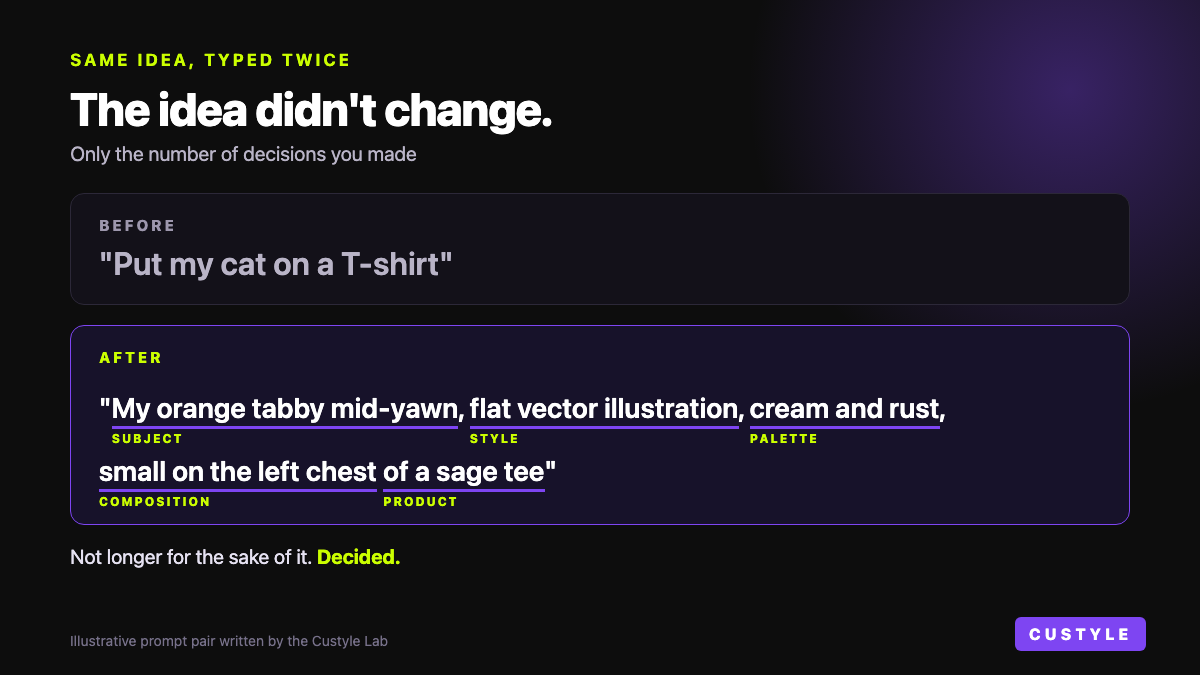
TL;DR: A better prompt isn't a longer prompt. It's one where the open decisions got made. These 10 AI merch prompt examples show the same idea written twice: how people really type it, and the version that names what the first one left out. A good merch prompt names five things: subject, style, palette, composition, and the product it goes on.
You type "put my cat on a T-shirt." You get a cat. On a shirt. It's fine.
Fine is the problem. You had a picture in your head, and it wasn't that one.
The idea was good. The prompt just left most of the choices open. This guide collects 10 AI merch prompt examples, each written twice. Same idea both times. The only thing that changes is how many decisions you made before you hit send.
It's for anyone making merch with AI for the first time. No design skills needed.
A note on what these are. The "before" lines are written the way people really ask. The "after" lines are written by the Custyle Lab to show the pattern. They're prompts to learn from, not a gallery of finished products.
Table of Contents
- Why the first version comes back generic
- The five decisions in a merch prompt
- 10 AI merch prompt examples, before and after
- What a prompt can't fix
- Or skip the homework
- FAQ
Why the First Version Comes Back Generic
An image model has to decide everything. What style. Which colors. Where things sit. What's behind them.
Leave a choice open and the model picks for you. It picks the most average answer it knows. That's why vague prompts come back looking like everyone else's.
The prompt guides agree on this. Printful's guide to AI art prompts shows the gap with one example: "A cat" becomes "a fluffy orange cat sleeping in a sunlit window with flowers on the sill." Printful recommends at least six descriptive keywords, covering subject, style, mood, color, composition and format.
Project Aeon puts it more bluntly. Its guide says a prompt like "a wolf on a shirt" gets a "generic, forgettable result."
The pattern: a vague prompt isn't a bad idea. It's an unfinished brief.
The Five Decisions in a Merch Prompt
Merch prompts aren't the same as image prompts. A picture only has to look good on a screen. Merch has to look good on a chest, a mug, or a tote.
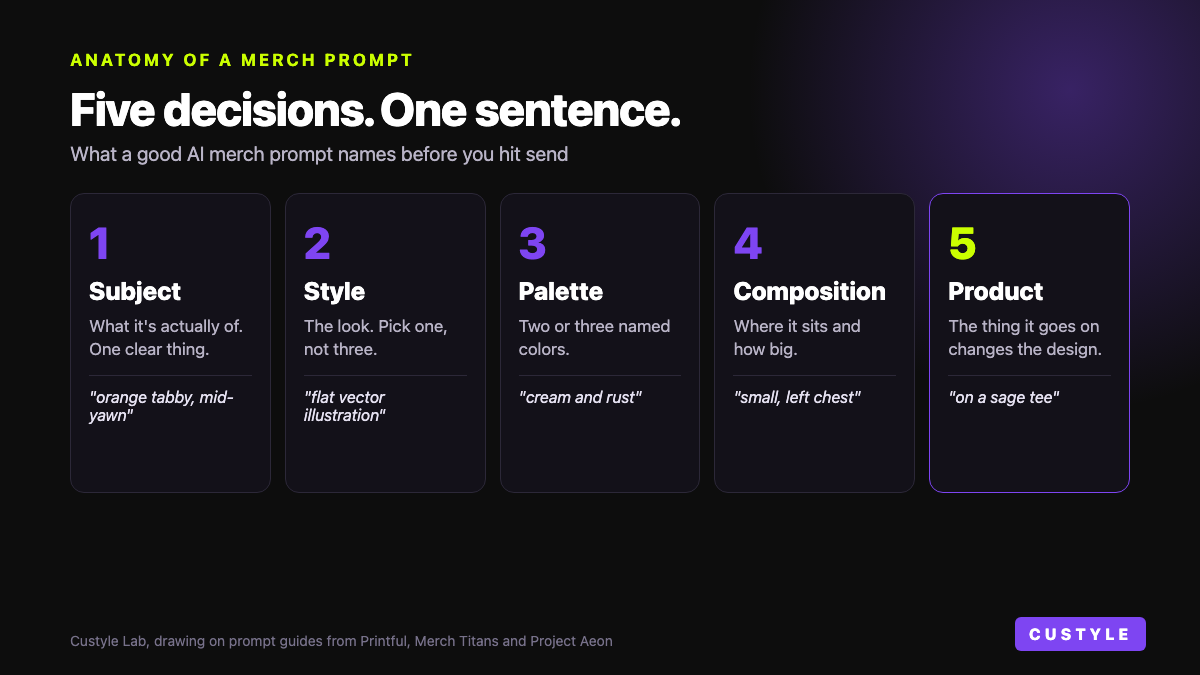
So the decisions are different. A good AI merch prompt names five things:
- Subject. What it's actually of. One clear thing beats three half-things.
- Style. Flat vector, vintage badge, hand-drawn line art, watercolor. Pick one.
- Palette. Name two or three colors. Don't leave it to chance.
- Composition. Centered, stacked, small on the left chest. Say where it sits.
- Product. A tee, a hoodie, a mug, a poster. The product changes the design.
That last one matters more than people expect. Printful's guide says T-shirts want bold shapes and high contrast, so the design stays visible on fabric. Posters can carry fine detail, because people stand close.
Two more habits help. Ask for a plain or isolated background, since busy backgrounds are a common failure. And skip the photo look. Merch Titans builds "no photorealism" and "high contrast" straight into its base prompt template. It also warns that low-contrast designs wash out when printed.
10 AI Merch Prompt Examples, Before and After
Here's the full set. Each row is one idea, typed twice.
| # | Before | After | Decision you made |
|---|---|---|---|
| 1 | Make something cool | A skateboarding raccoon in bold 90s cartoon style, two colors, centered on a black tee | Subject |
| 2 | Put my cat on a T-shirt | My orange tabby mid-yawn, flat vector illustration, cream and rust, small on the left chest of a sage tee | Style |
| 3 | Something that screams introvert who loves coffee | A coffee cup with a "do not disturb" hanger on the handle, simple line art, one color, on a cream mug | Concept |
| 4 | Cozy autumn melancholy hoodie | One bare tree dropping its last leaf, burnt orange, deep brown and fog gray, soft grain, centered on an oatmeal hoodie | Palette |
| 5 | "NORMAL PEOPLE SCARE ME" on a tee | The words "NORMAL PEOPLE SCARE ME" in vintage horror-poster lettering, stacked in three lines, red on black, no illustration | Typography |
| 6 | Tee for our 5-year anniversary | Two overlapping coffee rings in line art, "May 12 2021" in small typewriter text below, one color, left chest, white tee | Detail |
| 7 | Memorialize my Tokyo trip: sushi, neon, rain | A rainy Tokyo alley seen through a sushi bar window, neon reflected in puddles, flat poster style, pink, teal and navy | Composition |
| 8 | Christmas gift for dad | For my dad, who fly-fishes and loves bad puns: a trout in a Santa hat, vintage badge style, forest green and cream, on a mug | Recipient |
| 9 | Y2K vaporwave Greek statue | A Greek statue bust in Y2K vaporwave style, bold flat shapes, hot pink, cyan and white, isolated subject, centered on a black tee | Printability |
| 10 | Studio Ghibli vibes | A quiet hillside village under huge hand-painted clouds, soft watercolor, warm afternoon light, original scene, on a tote | Originality |
Now the why, pair by pair.
1–3: Decide What It's Of
Pair 1, subject. "Make something cool" gives the model nothing to hold. Cool to whom? The after version doesn't add adjectives. It adds a raccoon, a skateboard, and a decade.
Pair 2, style. "My cat" is a subject with no look. Flat vector, watercolor and cartoon are three different shirts. Naming the pose helps too. Mid-yawn has personality. "A cat" doesn't.
Pair 3, concept. Introvert plus coffee is two nouns. Ask for both and you get a cup next to a sad face. The after version finds one image that says both: a cup with a "do not disturb" sign.
That third move is the hard one. It isn't describing. It's deciding what the idea is.
4–5 and 9: Decide How It Looks
Pair 4, palette. "Cozy autumn melancholy" is a mood, and it's a good one. But mood words alone get you every fall cliché at once. Three named colors and one image hold the feeling steadier than five adjectives.
Pair 5, typography. When the words are the design, treat them like it. Put the exact text in quotes. Name the lettering style. Say how the lines stack.
Check the spelling when it comes back. Even guides that put text in their prompts suggest caution. Project Aeon includes lettering in an example prompt, then still recommends adding your own text in an editor afterward.
Pair 9, printability. The before prompt already has style to spare. What it's missing is the shirt. Bold flat shapes, three colors and an isolated subject turn a wallpaper into something made for merch.
6–8: Decide What It Means
Pair 6, detail. An anniversary tee without the date is just a tee. The after version adds the date, where it goes, and how loud it is. Small and quiet is a choice. So is huge and proud.
Pair 7, composition. Sushi, neon and rain are three things. List them and you get a collage. The after version puts all three in one scene: a wet alley, seen through a sushi bar window.
Pair 8, recipient. "Gift for dad" describes the occasion, not the dad. Two interests and one product he'd really use change everything. The trout does the rest.
10: Decide What's Yours
Pair 10, originality. A studio name is shorthand for a feeling. Describe the feeling instead: soft watercolor, big painted skies, a quiet mood. You'll get something closer to your taste, and it's yours rather than a copy of someone else's work.
Merch Titans makes the same point from the seller's side. Its guide says never to build designs on existing copyrighted characters or trademarked terms.
Across all 10, the after prompt is not the longer one. It's the decided one.
What a Prompt Can't Fix
A sharp prompt gets you a sharp image. It doesn't get you a printable file.
Merch Titans says raw AI output is "almost never print-ready." Most tools put out images at 72–150 DPI, according to its guide. One marketplace it cites wants T-shirt files at 4500×5400 pixels. That's a big gap.
There's no single magic number either. Deep-Image says a suitable resolution "depends on the printer, product, and the physical size of the artwork." Its advice: size up a strong design to fit the product. Don't try to rescue a weak one.
So the checklist after the prompt looks like this:
- Size. Is the file big enough for this product?
- Background. Is it clean, or is there a gray haze around the edges?
- Placement. Does the design sit right on the actual piece?
- Text. Is every word spelled right?
- Color. Will those colors hold up off the screen?
None of that lives in the prompt. It's the second half of the job.
Or Skip the Homework
You can learn all of this. Plenty of people do.
Custyle.ai, the AI Merch Agent, takes the other route. Its nine-agent Crew makes the missing decisions with you, so you can keep typing like a person.
Nova, the Concept Shaper, handles the first half. She takes a loose line and turns it into two or three sharper directions. Her rule: sharper, not busier. That's pair 3, done for you. Meet Nova here.
The second half belongs to the rest of the Crew. Grid sets the layout. Axis finds the right product for the idea. Bolt works out the right way to build it. That's the checklist above, handled.
And you don't have to land the perfect prompt in one try. Printful's guide lists settling on the first result as a common mistake. The Crew answers one idea with several takes you can compare. See how in One Prompt, Nine Variants.
Bring the vibe. Leave the five decisions to the Crew, or make them yourself. Either way, the idea was never the problem.
FAQ
What is a good prompt for AI t-shirt design? A good prompt names five things: subject, style, color palette, composition, and the product. For example: "My orange tabby mid-yawn, flat vector illustration, cream and rust, small on the left chest of a sage tee." Printful recommends at least six descriptive keywords. Bold shapes and high contrast work best on fabric.
How long should an AI merch prompt be? Length matters less than decisions. One or two sentences is enough if they name the subject, style, palette, layout and product. A long prompt that stacks adjectives still leaves the big choices open. Aim for decided, not detailed. Every after example in this guide fits in a single sentence.
Can AI put text on a shirt design? Yes, but check it. Put your exact words in quotes, name the lettering style, and say how the lines stack. Then read the result letter by letter. Project Aeon's guide still recommends adding your own text in an editor afterward when the wording has to be exact.
Why does my AI design look generic? The prompt left too many choices open. An image model fills every gap with its most average answer. Project Aeon notes that "a wolf on a shirt" gets a "generic, forgettable result." Name a style, two or three colors, and where the design sits. The result gets specific fast.
Do I need prompt skills to use Custyle? No. Custyle's Crew is built to make the missing decisions with you. Nova, the Concept Shaper, turns a loose line into two or three sharper directions. Other agents handle layout, product fit and how it gets built. You can type the before version and still get somewhere good.
Ready to make something?
Turn your ideas into real merch with AI. No design skills needed.
Start with a vibeCustyle Lab
Research & Guides · Nov 13, 2026·10 min read
Further Reading
Explore all →
Branded Merch for Small Businesses: AI-Designed Tees, Mugs & Totes Without an Agency
Small business branded merch no longer needs an agency or a 48-piece minimum. See what tees, mugs and totes return, what they cost, and a 7-step plan to start with one piece.
Read more →
Streamer Merch with AI: From Twitch Emote to Hoodie in an Afternoon
Your emote is 112 pixels. A hoodie front needs about 3,000. Here's the afternoon streamer merch design workflow, from rights check to sample order.
Read more →
Agent-to-Agent Commerce: When the Buyer's AI Talks to the Maker's AI
Agent to agent commerce got real rails in 2026, but every protocol assumes the seller is a catalog. Here's what changes when the seller's AI has to make the thing.
Read more →
Anthropic Computer Use Will Rewrite How Buyers Reach Merch
Claude can now drive a browser like a person, and Anthropic just shipped a blueprint for shopping agents. Here's what Anthropic computer use commerce means for merch.
Read more →