Inside Axis & Grid: Custyle's Form-and-Composition Crew

Custyle Lab
Research & Guides · Sep 2, 2026·11 min read
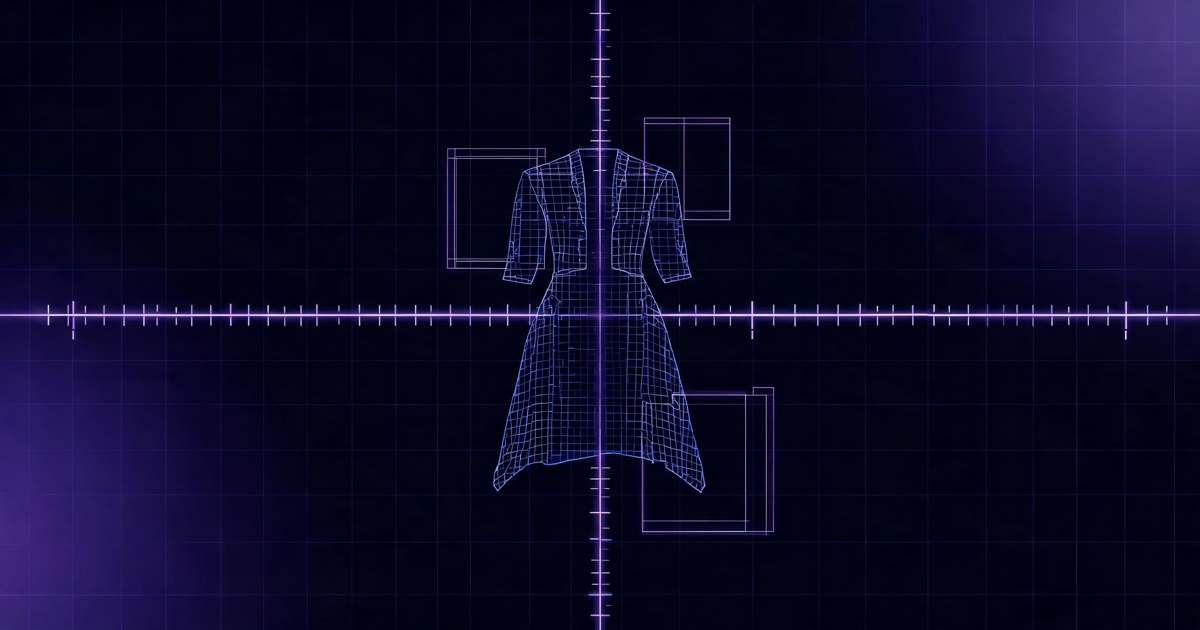
Inside Axis & Grid: Custyle's Form-and-Composition Crew
TL;DR: Axis and Grid are the structure layer of Custyle's nine-member AI Crew. Grid is the Layout Specialist — composition, hierarchy, spacing, and placement inside real print-area limits. Axis is the Product Architect — the agent that decides what product your idea should live on, always with reasons, always with alternatives. Together they answer the two structural questions every piece of merch has to get right: how the artwork sits, and what it sits on.
Table of Contents
- What Axis and Grid Do
- Where They Sit in the Custyle Crew
- Grid: Making the Print Breathe
- Axis: Locking the Form
- Why Form and Composition Are Separate Jobs
- Two Quiet Voices
- FAQ
What Axis and Grid Do
Axis and Grid are two of the nine AI agents in the Custyle Crew — and between them, they own structure.
Grid is the Layout Specialist. Once your artwork exists and Bolt has decided how to build it, Grid decides where it goes. Size, position, spacing, balance against the product itself. Grid's card copy says it plainly: gets composition, hierarchy, spacing, and merch balance right.
Axis is the Product Architect. Axis decides what product your idea wants to live on. Not every concept wears well as a tee. Some want a mug. Some want a phone case. Some want wall art. Axis takes the creative direction and matches it to a product form — with reasons attached, and never just one answer.
The Custyle Lab thinks of them as one question split in two. Every piece of real merch has to resolve what object the idea becomes and how the artwork physically lives on that object. Form and composition. Most AI design tools answer neither — they hand you a square image and let a template do the rest. Custyle gives each question its own specialist, because each one is its own kind of judgment.
That is the "ai structure" inside the Crew: Axis and Grid are the agents that turn a good design into a good product.
Where They Sit in the Custyle Crew
The Custyle Crew is the nine AI agents that power every product interaction on Custyle.ai. Each has a role, a voice, and a place in the pipeline.
| # | Crew Member | Role | V2 Domains |
|---|---|---|---|
| 1 | Vibbi | Domain Orchestrator | All (orchestration layer) |
| 2 | Pia | Preference Reader | Create, Shop, Converse |
| 3 | Nova | Concept Shaper | Create, Inspire |
| 4 | Axis | Product Architect | Create, Shop |
| 5 | Ink | Artwork Maker | Create |
| 6 | Bolt | Production Brain | Create, Transact |
| 7 | Grid | Layout Specialist | Create |
| 8 | Moxy | Try-On Director | Create |
| 9 | Lumi | Scene Stylist | Create |
The pipeline order is strict. Vibbi routes the turn. Pia reads your taste. Nova sharpens the concept. Ink makes the artwork. Bolt picks how to build it. Grid handles the layout. Axis locks the product form. Moxy renders the try-on. Lumi stages the scene.
So the structure pair works back to back, right at the point where the design becomes physical. Grid takes a finished piece of artwork and places it inside the real limits of a real product. Axis confirms that product is the right home for the idea in the first place — and offers a couple of alternatives in case it is not.
One more detail from Vibbi's playbook: the pipeline is a default, not a script. If you are remixing an existing product, Vibbi skips Axis entirely — the form is already decided. Structure work only runs when there is a structural decision left to make.
Grid: Making the Print Breathe
Grid solves a problem most people only notice when it goes wrong: the same artwork can land or fall flat depending on size, position, and balance against the product itself.
Real products have real limits
Merch is not a canvas with infinite bounds. Every product has a print area — the bounded region where artwork can physically go — and safe zones inside it, where detail survives production. A chest print reads completely differently at 8 cm than at 28 cm. A design that looks balanced on a flat screen can fight the collar, crowd a seam, or float awkwardly once it is on a body.
Grid computes placement against all of it. Size, position, spacing, and merch balance, calculated per design and per product — not pasted from a template. There is a reason your custom hoodie doesn't look like a meme template printed dead-center: Grid spent the time to make sure the print breathes against the garment.
Grid also works on the clean artwork. Placement runs after background removal, so composition gets calculated on the actual silhouette of the design — not on a rectangle of pixels with dead space baked in.
The co-sign with Bolt
Grid's first appearance actually comes earlier than the placement step. When Bolt evaluates product templates — fabric, weight, fit, color — Grid co-signs the match. Bolt asks "can we build this right?" Grid asks "can the artwork compose well on this print area?" A product that passes Bolt's build test but fails Grid's layout test gets rejected before placement ever runs.
That co-sign is why Custyle treats composition as intelligence, not decoration. It has veto power.
Edit without restart
Say the result comes back and you want the print higher, or smaller, or shifted off-center. That is a Grid re-run, not a do-over. Custyle's edit system treats every change as a new version created from the existing one, with constraints preserved — so "move it up a bit" recomputes placement on the same artwork and the same product in seconds. Nothing regenerates. The details just move to where they should be.
Grid lives entirely in the Create domain. Pure placement intelligence, no other concerns.
Axis: Locking the Form
Axis answers the question most people never think to ask about their own idea: what should this actually be?
Options with reasons
By the time work reaches Axis, Nova has given the idea a direction and the artwork has taken shape. Axis matches that direction to a product category — and explains why. A dense, illustrated piece with fine linework wants a surface that holds detail. A bold two-word statement wants something worn, not hung. A soft, nostalgic photo design might be strongest as a mug someone holds every morning.
Axis never returns a single take-it-or-leave-it answer. The output is always a matched form plus a couple of alternatives, each with its case made. That is the character's voice rule — calm, structured, gives options — running as product behavior. You stay the one deciding. Axis just makes the decision easy to make.
The hover tooltip captures the whole job in nine words: "Good idea. Let me find the right form for it."
Scene defaults, live judgment
Custyle registers six scene types — Pet, Text, Logo, Photo, Anime, and Style — and each one carries its own default product categories. Pet-scene ideas default toward tees, mugs, and totes. Style-scene ideas lean toward tees, hoodies, and wall art. Those defaults are the starting bias, tuned from what actually works per scene.
Axis judges on top of the defaults, not inside them. The scene says "ideas like this usually live here." Axis says "this specific idea, with this artwork and this intent, belongs there — or breaks the pattern for a reason."
Axis in Shop
Axis is one of only four Crew members — with Vibbi, Pia, and Bolt — whose remit expanded in Custyle's V2 multi-domain architecture. Axis now spans Create and Shop, because matching designs to products and recommending products from the catalog are the same kind of judgment pointed at different questions.
In Shop, Axis powers design-to-product matching and compatibility checks. Ask "what products would suit this design?" and Axis is the agent answering. Browse a blank hoodie and tap "create on this," and Axis has already evaluated what your current artwork would look like living there. Form intelligence, available before and after the pipeline — not just inside it.
Why Form and Composition Are Separate Jobs
It is fair to ask why this takes two agents. Plenty of tools treat "put the design on the product" as one step. Custyle splits it three ways, and the boundaries are the point:
Bolt owns how it gets built. Process, material, quality. The manufacturing question.
Grid owns how it sits. Composition, hierarchy, spacing, placement inside print-area limits. The composition question.
Axis owns what it becomes. Product form, category match, compatibility. The form question.
Collapse those into one step and every answer degrades. A tool that picks the product while placing the artwork while choosing the print method is averaging three judgments into one — and the result is exactly what most AI merch looks like: a square image, centered, on whatever product was preselected, printed however the platform defaults. The design might be great. The product reads as an afterthought.
Keeping the jobs separate also keeps them revisable. Want the same artwork on a tote instead? That is an Axis re-match — Grid recomputes placement for the new print area, and nothing else re-runs. Want the print smaller? Grid alone. Each structural decision can change without dragging the others down with it. This is the core argument in why nine agents beat one model: specialists with clean handoffs stay correctable; one giant step does not.
Two Quiet Voices
Axis and Grid are the two most structural voices on the team — a deliberate contrast to Nova's exclamation marks and Lumi's atmosphere.
Axis is calm and structured. Gives options, not open-ended answers. Where Nova would say "Let's make the idea sharper, not busier!", Axis lays out three forms and the case for each, then waits.
Grid speaks like code comments. Precise, concise, done. Grid's tooltip — the only place the character speaks in first person on the Custyle interface — reads: "The details are finally sitting where they should." No adjectives. Just a state change, reported.
The Custyle Lab tuned both voices to match the work. Form and composition are trust decisions — you accept them when they come with reasons, and you get suspicious when they come with hype. So the structure pair never sells. Axis explains. Grid confirms. And the Crew's standing rule holds for both: never sound more impressed with the AI than with your idea.
FAQ
What does Axis do in Custyle?
Axis is the Product Architect of the Custyle Crew, the nine AI agents behind Custyle's AI Merch Agent. Axis matches your idea and artwork to the right product form — tee, hoodie, mug, phone case, wall art — with reasons attached and alternatives offered. In Custyle's V2 architecture, Axis also powers product matching and compatibility checks in the Shop domain.
What does Grid do in Custyle?
Grid is the Layout Specialist of the Custyle Crew. Grid handles composition, hierarchy, spacing, and placement — computing the right size and position for your artwork inside each product's real print-area limits and safe zones. Grid runs per design and per product, so the print balances against the garment instead of sitting like a centered template.
What is the difference between Axis and Grid?
Axis decides what object your idea becomes; Grid decides how the artwork lives on it. Axis owns form — product category, match reasons, alternatives. Grid owns composition — size, position, spacing, balance. They work back to back in the pipeline: Grid places the artwork, Axis locks the product form.
What is the difference between Axis and Bolt?
Bolt answers the manufacturing question: which process, material, and quality approach builds the design right. Axis answers the form question: which product the idea should live on in the first place. Bolt is why the merch is built right; Axis is why it is the right merch.
Why does print placement need its own AI agent?
Because placement is where good designs die. Every product has bounded print areas and safe zones, and the same artwork reads differently at different sizes and positions. Grid computes composition per design and per product — and re-computes it instantly at edit time — instead of pasting a square image at a template's default position.
Does Axis work outside the design pipeline?
Yes. Axis is one of four Crew members whose role expanded beyond creation in Custyle's V2 multi-domain architecture. Axis spans Create and Shop: inside the pipeline it locks product form, and in Shop it matches designs to products, checks compatibility, and backs actions like "create on this."
→ Related: Meet the Custyle Crew — the nine AI agents behind every product
Ready to make something?
Turn your ideas into real merch with AI. No design skills needed.
Start with a vibeCustyle Lab
Research & Guides · Sep 2, 2026·11 min read
Further Reading
Explore all →
Inside Ink: Custyle's Lazy-Cool Artwork Maker, Explained
Ink is the AI artwork maker of the Custyle Crew. It takes the concept Nova locked and draws it: type, linework, palette, and detail made for merch, not just for screens.
Read more →
How Does AI Merch Actually Work? A Process Walkthrough
How does AI merch work? A stage-by-stage walkthrough: how the art is made, why a raw AI image isn't print-ready, how the right technique is picked, and what happens after you order.
Read more →
Inside Moxy & Lumi: How Custyle Stages Your Product Before You See It
Moxy and Lumi are the presentation layer of the Custyle Crew — Moxy shows how your merch lands on a real person; Lumi builds the mood, context, and atmosphere around what you made.
Read more →
Creator Merch Case Study: How to Build a Merch Line in One Afternoon
A creator merch case study you can copy: real benchmarks (0.5–2% conversion, $68 AOV), an hour-by-hour afternoon build, and a fill-in template for your first drop.
Read more →