AI Merch Agent vs Canva + Kittl: Comparing the Three Approaches to AI Design
Custyle Picks
Reviews & Comparisons · Oct 24, 2026·14 min read
AI Merch Agent vs Canva + Kittl: Comparing the Three Approaches to AI Design
TL;DR: Canva, Kittl, and an AI merch agent all use AI, but they stop in different places. Canva gives you a general design canvas plus a short print catalog. Kittl gives you a sharp, merch-friendly design file, and you handle production elsewhere. An AI merch agent like Custyle takes your intent and hands back a finished product: design, product choice, technique, and delivery. Pick by where you want the AI to stop.
Search "ai merch agent vs canva" and you'll find feature lists. Magic this, Copilot that. Token counts.
They miss the real question. Where does the AI stop, and where do you start?
That's what separates these three. Not the image models. Canva, Kittl, and Custyle can all draw a decent graphic. The difference is everything after the graphic: which product, which technique, which file, which factory, which doorstep.
This comparison is for anyone making merch with AI in 2026. Creators. Small brands. Teams ordering event shirts. People who just want a gift that feels like them. We'll compare the three approaches fairly, including where Custyle isn't the right pick.
Pricing and features reflect public information as of October 24, 2026. Both Canva and Kittl change plans often. Check their sites before you buy.
Table of Contents
- The short answer
- Three approaches, not three brands
- Canva: the all-purpose design suite
- Kittl: the merch designer's studio
- AI merch agent: idea in, product out
- Side-by-side comparison
- The hidden work between file and product
- Which one should you pick?
- Can you use them together?
- FAQ
The Short Answer
| If you want… | Pick | Why |
|---|---|---|
| Merch from the tool you already use for everything | Canva | Same editor, built-in print ordering |
| Full design control for a print-on-demand store | Kittl | Strong type, vectors, and store-ready exports |
| A finished product from a sentence or an image | An AI merch agent (Custyle) | The AI handles design and making it real |
An AI design tool outputs a file. An AI merch agent outputs a product. Hold onto that line. Everything below explains it.
Three Approaches, Not Three Brands
Think of these as three architectures. Each answers "help me make merch with AI" differently.
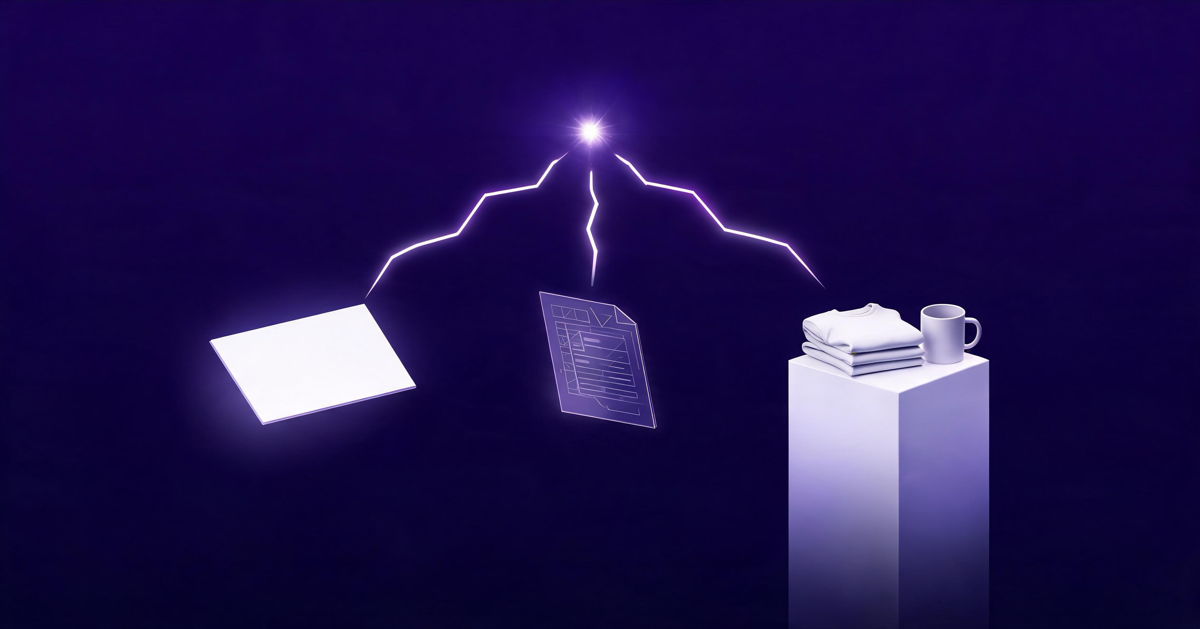
One spark, three endings: a design canvas, a design file, or a finished product.
1. The general AI design suite (Canva). AI lives inside a do-everything editor. You build the design. You pick the product, size, color, and quantity. Canva prints from its own catalog.
2. The specialist AI design studio (Kittl). AI lives inside a design tool tuned for merch and typography. You build the design and export it. Then you take that file to a print partner like Printful, Printify, Etsy, or Amazon.
3. The AI merch agent (Custyle). AI owns the whole path. You describe your idea or drop an image. The agent designs it, picks the right product, picks the right technique, prepares the files, and routes it to a manufacturer.
The first two are tools. The third is a worker. → Related: what an AI merch agent actually is
Canva: The All-Purpose Design Suite
Canva is the design tool most people already have open. That's its biggest strength.
What its AI does
Canva's AI lives in Magic Studio. It launched in October 2023 and has grown to more than 15 AI tools, according to a 2026 review by Fast.io. The headliners:
- Magic Media / Dream Lab for text-to-image
- Magic Design for instant layouts
- Magic Edit for swapping parts of an image
- Magic Write for copy
- Ask Canva as an in-editor assistant
Magic Media even does short text-to-video, reportedly up to 8 seconds. Free users get the core AI tools with limited usage. Pro, Teams, and Business plans raise the limits.
How merch works in Canva
You design on a canvas, then order through Print with Canva. You choose size, color, and quantity, and Canva ships it. Its catalog covers t-shirts, hoodies, sweatshirts, and mugs, plus lots of paper goods.
On Canva's US pages, hoodies start around $32 and sweatshirts around $33. One guide reports delivery tiers of roughly 9–20 days for free economy shipping, 7–10 days standard, and about 3 days express. Prices and timing vary by region.
Pricing
Canva Pro runs about $18/month in 2026, per Piktochart's pricing breakdown. Annual pricing is quoted at $144 to $180 a year depending on the source. Business is about $25 per person per month.
Where Canva shines
- You already design social posts, flyers, and decks in it
- Your merch is a side task: a team event shirt, a one-off mug
- You like dragging things around yourself
Where it stops
Canva's AI is general-purpose. It doesn't know if your design will be printed, stitched, or engraved. It won't tell you that your thin script font will vanish on a heather tee. And the catalog is short. No jewelry, no phone cases, no keychains, no embroidered caps.
Canva is a great canvas that happens to print. It isn't built around making merch.
Kittl: The Merch Designer's Studio
Kittl is where a lot of serious print-on-demand sellers design. It earns that spot.
What its AI does
Kittl's AI Creative Suite covers image, vector, and video generation. It pulls from models by OpenAI, Google, ByteDance, and Black Forest Labs. Reviews count around 15 image models, plus:
- A vectorizer that turns images into clean, scalable art
- An image restyler and recolor tools
- Background removal and upscaling
- Copilot, an AI design assistant
- Flows, for batch variations on paid plans
Pair that with a deep library of vintage type, retro lockups, and hand-drawn templates. It's built for the look that sells on shirts.
How merch works in Kittl
Kittl doesn't make products. It makes files. Kittl says you can export "ready-to-list files" for tees, hoodies, totes, mugs, and hats on Printify, Printful, Etsy, Amazon, and Shopify, per its print-on-demand page. Higher plans add presets that size your canvas for those platforms.
Then the work moves to you. Upload the file. Pick the blank. Place the art. Set variants. Write the listing.
Pricing
Kittl runs on plans plus AI tokens. Per a March 2026 breakdown from We Are Founders:
| Plan | Price | AI tokens / month | Commercial use |
|---|---|---|---|
| Free | $0 | ~100 | Personal use only |
| Pro | $15/mo ($10/mo yearly) | 1,000 | Yes, up to 500,000 copies |
| Expert | $30/mo ($24/mo yearly) | 12,000 | Yes, plus POD presets and HD mockups |
| Business | Custom | Unlimited | Extended license |
An AI image costs about 2 tokens. Background removal costs 1. Tokens don't roll over. Other listings, like Capterra, show different tiers, so check before you subscribe.
Where Kittl shines
- You care about typography and want to touch every curve
- You run an Etsy, Amazon, or Shopify store with a print partner already
- You want clean vector files you own and can reuse anywhere
Where it stops
At the export button. Users on Trustpilot love the mockups and templates, but some flag a learning curve and token burn. And the free plan doesn't allow commercial use at all.
Kittl hands you a great file. Turning it into a product is still your job.
AI Merch Agent: Idea In, Product Out
An AI merch agent flips the starting point. You don't open a canvas. You say what you want.
What it does
Custyle.ai, the AI Merch Agent platform, runs on a crew of nine AI specialists. Each owns one part of the path from idea to real product. → Related: meet the Custyle Crew
You start one of two ways:
- Describe & Create. Type the idea. "A cozy retro tee for my book club, warm colors, a little nerdy."
- Upload & Go. Drop a sketch, a photo, or a design you already made.
Then the Crew takes it from intent to tangible:
- Reads your intent and taste. Vibbi, the Design Lead, and Pia, the Preference Reader, figure out what you're expressing and who it's for.
- Shapes and draws it. Nova shapes concepts. Ink makes the artwork.
- Makes it made for merch. Bolt, Grid, and Axis pick the right technique, set the layout, and lock the right product.
- Shows it before it's real. Moxy runs the try-on and Lumi styles the scene, so you see it on the product first.
- Gets it built. The order routes to a manufacturer suited to that product and technique.
Why "the right product" matters
Here's the part design tools skip. Every design wants a specific physical form.
A detailed photo portrait wants a smooth print surface. A bold monogram might look best stitched. A tiny line drawing might belong engraved on metal. Custyle's Product Engine makes that call for you: product form, technique, supplier, and production-ready files with the right resolution, color, and placement.
The catalog spans hundreds of product types across 14+ categories. Apparel, hats, bags, drinkware, phone cases, home decor, stationery, jewelry, pet gear, even building blocks. Production runs on a global network, with more manufacturers joining over time.
The market is moving this way
Custyle isn't alone in betting on agents. On June 8, 2026, Amazon added AI merch design to its Shopping app. You describe an idea to Alexa, refine it, and order. Amazon's Merch on Demand makes it and Prime ships it. TechCrunch called it "lowering the barrier for consumers who want to turn ideas into physical products."
That's the agent pattern. Intent in, product out. McKinsey frames agentic AI as one of the defining shifts in retail merchandising.
Where an agent shines
- You have an idea, not design skills
- You want something beyond a shirt or a mug
- You'd rather not learn print specs, file formats, or blank catalogs
- You want options fast: several directions from one prompt → Related: how one prompt becomes nine variants
Where it stops
Honestly? At pixel-level control. An agent makes the calls for you. If you want to nudge a letter's kerning by hand, Kittl is the better room. You can still edit and refine in chat, but it's a conversation, not a pen tool.
An AI merch agent trades hand control for a finished, correctly made product.
Side-by-Side Comparison
| Canva | Kittl | AI merch agent (Custyle) | |
|---|---|---|---|
| You start with | A blank canvas or template | A canvas, template, or AI prompt | A sentence or an image |
| Design skill needed | Low to medium | Medium to high | None |
| What you get | A design + a Canva print order | A file (PNG/SVG/PDF) + mockups | A finished product |
| Who picks the product | You | You (on your print platform) | The agent recommends |
| Who picks the technique | Fixed by Canva | You or your print partner | The agent, per design |
| Production files | Handled inside Canva | You export and upload | Prepared automatically |
| Product range | Short list: apparel, mugs, paper | Depends on your print partner | Hundreds of types, 14+ categories |
| Fulfillment | Canva Print | Your print partner | Routed by the agent |
| AI pricing | Pro ~$18/mo | $0–30/mo + tokens | Free to start, pay per product |
| Best for | Canva-native one-offs | POD sellers who want control | Ideas → real products, no skills needed |
The Hidden Work Between File and Product
This is the gap most comparisons ignore. A finished design file is roughly the halfway point.
Here's what still has to happen after the file, and who does it in each approach:
| Step | Canva | Kittl | AI merch agent |
|---|---|---|---|
| Choose the product that suits the design | You | You | Agent |
| Match the technique to the product | Canva (limited) | You / print partner | Agent |
| Prep files for that technique | Canva | You | Agent |
| Set placement and size | You | You | Agent |
| Check it on the product | Mockup | Mockup | Mockup + try-on |
| Find a maker and ship | Canva | Print partner | Agent |
Count the "You" cells. That's your real workload.
Use this quick checklist to score any AI merch tool yourself:
- Can I start from a sentence, not a canvas?
- Does it suggest which product fits my design?
- Does it choose the print or stitch method for me?
- Does it prepare production files without me exporting?
- Can I see the design on the real product before buying?
- Does it get the item made and shipped?
- Does it go beyond tees and mugs?
Seven checks is an agent. Two or three is a design tool. Neither is wrong. They're just different jobs. → Related: AI merch vs print-on-demand
Which One Should You Pick?
Be honest about the job. Then the pick gets easy.
Pick Canva if:
- You're already a Canva user and the merch is a side task
- You need a handful of shirts or mugs for an event
- You want one tool for posts, decks, and the occasional tee
Pick Kittl if:
- You run a print-on-demand store and know your print partner
- Typography and vector polish are your edge
- You enjoy design and want to own every decision
Pick an AI merch agent if:
- You have the idea but not the design skills or the time
- You want the right product, not just a product
- You want a gift, a drop, or a one-off made for your vibe, start to finish
- You want more than apparel: phone cases, jewelry, home goods, keychains
For a wider field of tools, see our ranking. → Related: the 10 best AI merch tools in 2026
Can You Use Them Together?
Yes. And for some people, that's the best setup.
Design in Kittl or Canva if you love the hands-on part. Then drop the finished image into Custyle with Upload & Go. The agent handles the rest: picks the right product, matches the technique, preps the files, and gets it made.
You keep the creative control you like. You skip the production work you don't.
FAQ
What is the difference between an AI merch agent and Canva?
Canva is an AI design suite. You build the design and pick the product from Canva's print catalog. An AI merch agent like Custyle starts from your described idea or image. It designs the artwork, chooses the right product and technique, prepares production files, and routes the order to a manufacturer.
Is Kittl better than Canva for merch?
For dedicated merch sellers, usually yes. Kittl focuses on typography, vectors, and print-on-demand exports for platforms like Printful, Printify, and Etsy. Canva is broader and easier for one-off orders. Neither makes the product decisions for you. Kittl hands you a file. Canva prints from a short catalog.
Do I need design skills to use an AI merch agent?
No. You describe your idea in plain words or upload an image. The agent handles design, product choice, technique, and production files. You can refine through chat. If you want hand-level control over every curve and letter, a design tool like Kittl is the better fit.
Can I sell products made with Canva or Kittl?
Usually, on paid plans. Kittl's Pro and Expert plans include a commercial license up to 500,000 copies; its free plan is personal use only. Canva's license terms depend on the plan and the assets used. Read each tool's license before selling, and check any third-party elements.
Which is cheapest for one custom t-shirt?
It depends on your time. Canva Print sells apparel directly, with hoodies from about $32 in the US. Kittl's free plan bars commercial use and still needs a print partner. An AI merch agent is free to start and you pay per product, with no design hours on your side.
The Takeaway
The "ai merch agent vs Canva vs Kittl" question isn't about whose AI draws best. It's about where the AI stops.
Canva stops at a canvas with a print button. Kittl stops at a great file. An AI merch agent stops at your door, with the right product built the right way.
If you love designing, keep your favorite tool. If you just want your idea made real, describe it and let the Crew take it from there.
Ready to make something?
Turn your ideas into real merch with AI. No design skills needed.
Start with a vibeCustyle Picks
Reviews & Comparisons · Oct 24, 2026·14 min read
Further Reading
Explore all →
AI Shopping Agent vs AI Merch Agent: Two Futures of Commerce
An AI shopping agent buys on your behalf — it searches, compares, and checks out. An AI merch agent creates on your behalf — it turns your idea into a real product. Here's how the two futures compare.
Read more →
Redbubble Alternative: AI Merch Agents for Creators Who Want Margin
Redbubble's Standard tier takes 50% of your monthly earnings. Compare real payouts across marketplaces, fulfillment platforms, and AI merch agents — and see which model keeps margin in your pocket.
Read more →
AI Merch Agent vs Midjourney for Merch: Why Image Gen Isn't Enough
Midjourney is the best paintbrush in the game — but nobody wears a paintbrush. Where image generation stops and AI merch agents take over: print prep, product matching, and fulfillment.
Read more →
Printful Alternative: Why AI Merch Agents Are the 2026 Upgrade
Most Printful alternatives save you $4 a shirt. None save you the 15-25 hours a week. The three tiers of alternative in 2026 — and how to pick the one that fits.
Read more →